128
On Duty
Active guards visible
LIVE MAP & GPS TRACKING
Securinos gives supervisors live GPS visibility across guards, sites, patrol routes, checkpoints, and active incidents — all from one clear operational map.
128
On Duty
Active guards visible
34
On Patrol
Moving through routes
18
At Checkpoint
Recently verified
6
Responding
Assigned to incidents
4
Offline
Needs review
Turn location data into a clear operational view without cluttering the map.
Supervisors can switch between guards, patrols, checkpoints, incidents, geofences, and client sites so every map view stays focused on the task.
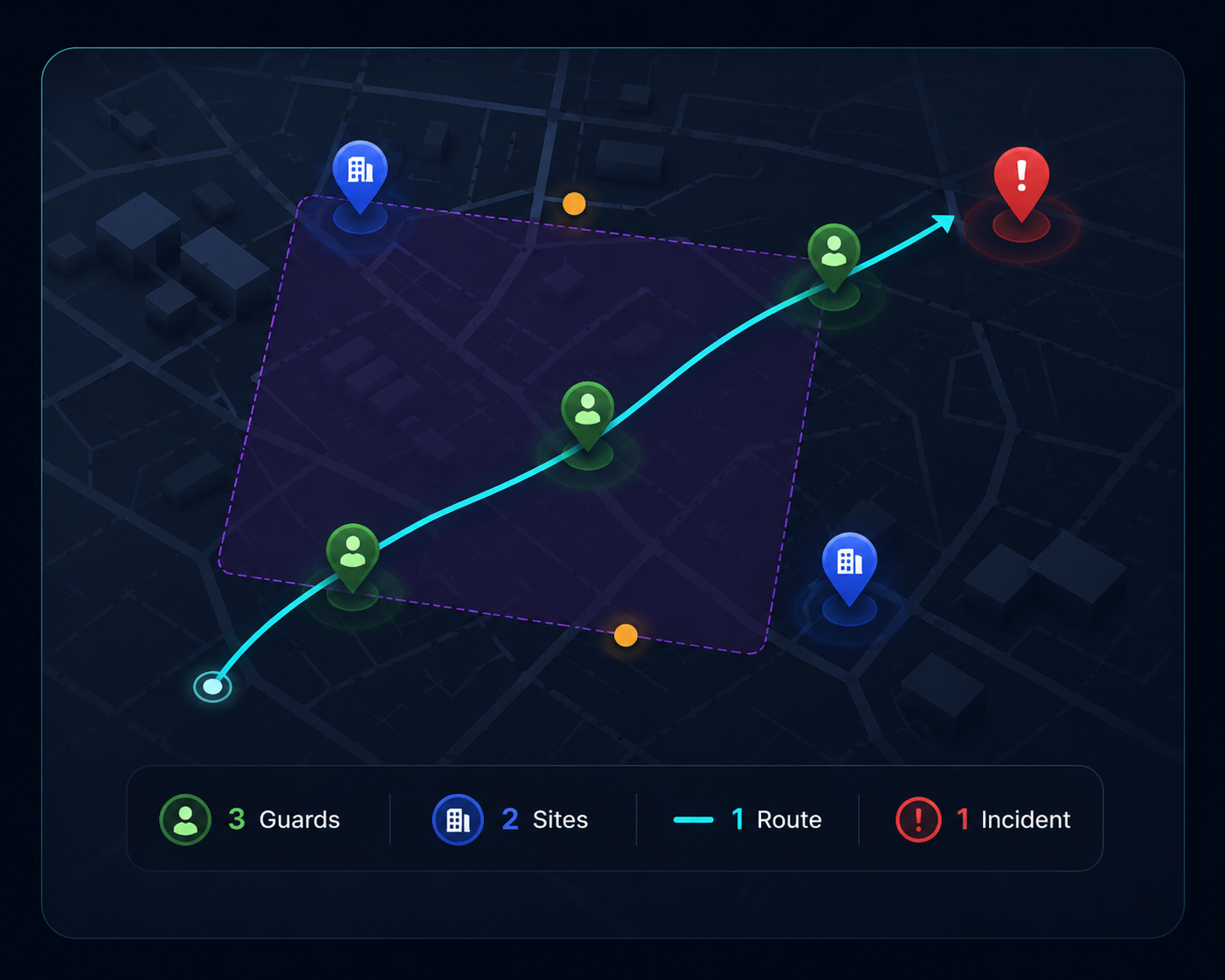
Know which route was followed, which checkpoints were reached, and where follow-up is needed.
Securinos helps supervisors track patrol progress in real time, review completed checkpoints, identify missed stops, and respond quickly when a route falls behind.
Create operational zones for sites, VIP areas, restricted spaces, and emergency response areas.
Use zones to understand whether guards are inside assigned areas, approaching restricted spaces, covering VIP routes, or entering emergency locations.
Know when guards enter assigned areas, leave patrol routes, or approach restricted spaces.
Control which guards, supervisors, or response teams should be active in each zone.
Notify supervisors when movement requires attention, escalation, or follow-up.
Turn location activity into a simple sequence supervisors can review.
21:10
Guard 12 started patrol
Main Gate
21:18
Checkpoint A scanned
North Entrance
21:27
Checkpoint B scanned
Warehouse Side
21:35
Missed checkpoint warning
East Perimeter
21:42
Supervisor notified
Control Room
21:47
Route back on track
Service Road
Use past movement, checkpoint records, and patrol evidence to support reporting and accountability.
Securinos keeps location activity connected to patrol checkpoints, incident reports, photos, and shift records so supervisors can understand what happened after the moment has passed.
View the route followed during a shift or patrol.
Confirm when each checkpoint was reached and verified.
See completed routes, missed stops, and follow-up needs.
Connect incident reports to the exact site or zone.
Review guard movement across the full shift timeline.